The MagSafe accessory market has grown faster than most people expected, and with that growth has come a lot of confusion. Walk into any electronics section or browse online and you’ll find dozens of products labeled “MagSafe compatible” at wildly different price points, with specs that are hard to compare and marketing language that doesn’t tell you much. The phrase itself has become more of a selling point than a technical specification.
Before spending money on a charger, mount, wallet, or case that claims MagSafe support, it’s worth understanding what that actually means — and what to check before you buy.
Not Everything with a Magnet Is MagSafe
This is the first thing to get clear. Apple’s MagSafe system for iPhone (introduced with the iPhone 12) uses a specific arrangement of magnets — a ring of magnets around a central charging coil — along with a small NFC chip that communicates between the iPhone and a certified accessory. The combination allows the phone to recognize what kind of accessory is attached and respond accordingly.
A product that sticks magnetically to the back of your iPhone is not automatically MagSafe. Many cases and mounts use ordinary magnets that happen to interact with the MagSafe ring on the phone. They’ll hold, sometimes reasonably well, but they’re not part of the MagSafe system and don’t have access to the full magnetic alignment or the authentication that comes with it. The distinction matters most for charging: a non-certified charger using a Qi coil positioned near a magnet might charge your iPhone, but it won’t charge at the full 15W MagSafe rate — typically delivering 7.5W (standard Qi for iPhone) or less.
Magnetic Strength Varies More Than You’d Think
Even among genuinely MagSafe-compatible accessories, the holding strength varies. Apple’s own specification defines the magnet arrangement, but the quality of implementation — the grade of magnets used, how precisely they’re positioned, the quality of the casing around them — affects how firmly accessories attach and stay attached.
This matters most for car mounts and wallets. A MagSafe car mount that holds the phone adequately on a smooth road but loses grip over a speed bump isn’t a useful accessory. Before buying any mount, look for reviews that specifically test holding strength under movement rather than just noting that it attaches. Products that meet Apple’s MFi (Made for iPhone) certification requirements for MagSafe have been tested to minimum hold standards; uncertified products claiming compatibility haven’t necessarily been held to those standards.
For wallets, magnetic strength is less critical in terms of safety — you’re not worried about the wallet falling off while you’re driving — but it affects whether the wallet detaches when you pull out a card or stays put with light handling. A wallet that falls off every time you reach into it is more frustrating than convenient.
The Charging Rate Question
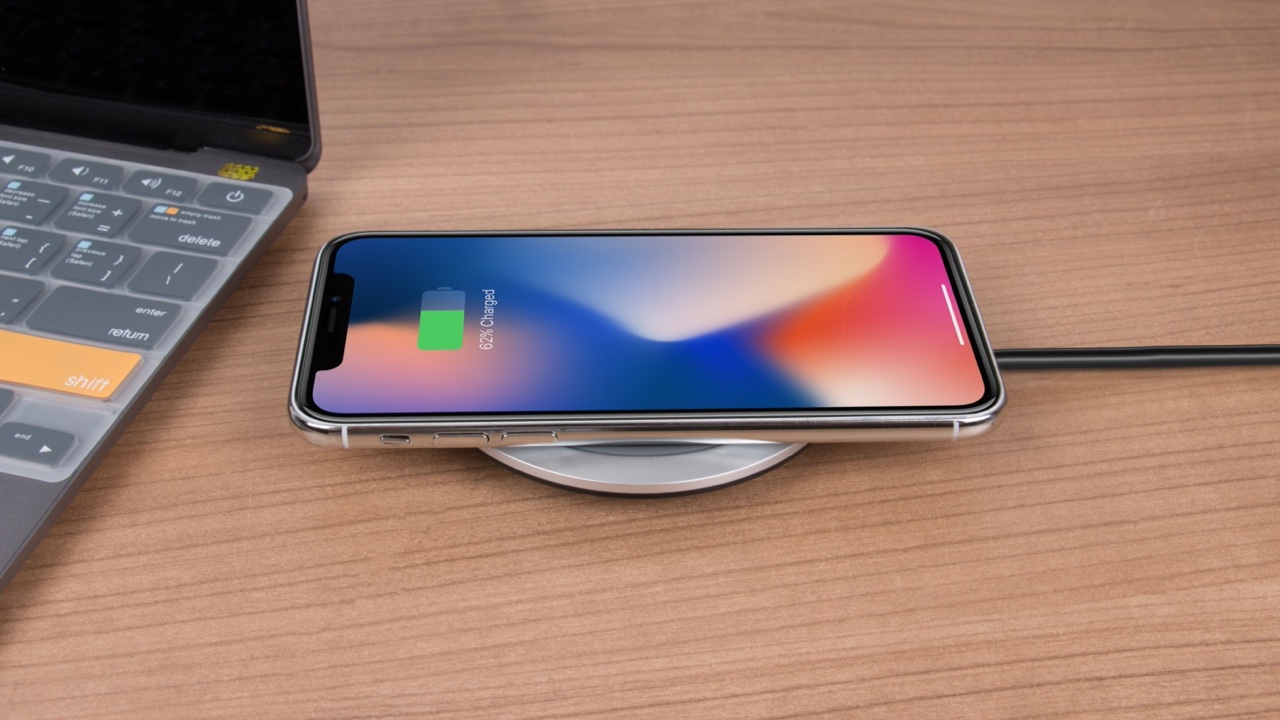
If you’re buying a MagSafe charger, the 15W maximum rate only applies under specific conditions: an iPhone 12 or later, a genuine MagSafe cable, and a compatible power adapter supplying at least 20W.
The cable is the part buyers often overlook. Apple’s MagSafe charger puck connects via USB-C, and using an underpowered USB-C adapter limits the rate regardless of what the charger itself is rated for. The included adapter in most third-party MagSafe charger kits is not always rated to deliver full power — checking the wattage on any included adapter before assuming you’re getting the full MagSafe rate is worth doing.
Third-party MagSafe chargers that are MFi certified are verified to deliver the full 15W rate with a compatible adapter. Non-certified chargers claiming MagSafe charging typically deliver Qi rates (7.5W for iPhone) regardless of what the packaging says. The rate difference in practice: about 30-40 minutes to a meaningful charge difference over a full charge cycle, which adds up if you’re relying on it overnight.
Cases and MagSafe Compatibility
If you use a case, it affects how well MagSafe accessories work — and not all cases handle this equally.
Apple’s MagSafe cases are designed with the magnetic array built into the case itself, so the accessory attaches to the case’s magnets rather than the phone’s. A third-party case that’s simply labeled “MagSafe compatible” may just mean it doesn’t block the magnets significantly, which is different from actively contributing to the magnetic system.
For mounting and wallet use, a case that’s genuinely MagSafe-integrated gives better attachment strength than a case that’s merely thin enough not to interfere. The easiest test: if a MagSafe accessory you know works well with your phone directly feels noticeably weaker or less secure with the case on, the case is reducing holding strength rather than contributing to it. Some cases are worse than others in this regard — particularly cases with thick rubber edges or any metallic elements near the back, which can interfere with the magnetic field.
Multi-Device Charging Pads and MagSafe
Charging pads that claim to charge iPhone via MagSafe alongside AirPods and Apple Watch are convenient if they work well, but the specifications here get complicated.
The MagSafe puck on a multi-device pad typically delivers 15W to iPhone when other devices aren’t actively charging simultaneously. When multiple devices are drawing power at the same time, the adapter’s total wattage gets distributed, and iPhone may drop to 7.5W depending on the pad’s power management. An adapter bundled with a multi-device MagSafe pad that’s only rated at 20W total doesn’t have the headroom to deliver 15W to iPhone plus meaningful power to Watch and AirPods at the same time.
If fast iPhone charging is the priority, a single-device MagSafe puck with a 20W or higher dedicated adapter is more reliable than a multi-device pad running off a shared adapter near its ceiling.
What to Actually Check Before Buying
Running through these questions before purchasing any MagSafe accessory avoids most of the common disappointments:
Is it MFi certified? This applies to chargers and any accessory that interacts with the MagSafe system electronically. The certification exists for a reason and is the clearest available signal that a product meets Apple’s specifications rather than just claiming to.
What is the included adapter’s wattage, if one is included? For chargers, this is the variable most often responsible for not achieving the advertised charging rate.
For mounts: what do reviews say specifically about holding under real-world movement? Attachment in static conditions tells you less than behavior during vibration or acceleration.
For wallets: does the magnetic hold remain when pulling out a card? Some designs solve this better than others through the positioning and grade of magnets.
For cases: does the case actively integrate the MagSafe magnet array or just avoid blocking it?
A good starting point for comparing what’s available across these categories is a collection like magsafe accessories, where you can look at certified options alongside the specs that actually matter for each accessory type.
Getting MagSafe accessories right is mostly about knowing which specs are meaningful and which are marketing shorthand. Once you know what to look for, the field narrows quickly to things that will actually work the way you expect.